Norrena Services
Norrena Services
Managed IT Services
  • Home
  • DIY IT?
  • Managed IT Services
  • BCDR
  • Contact

Why use an RMM?

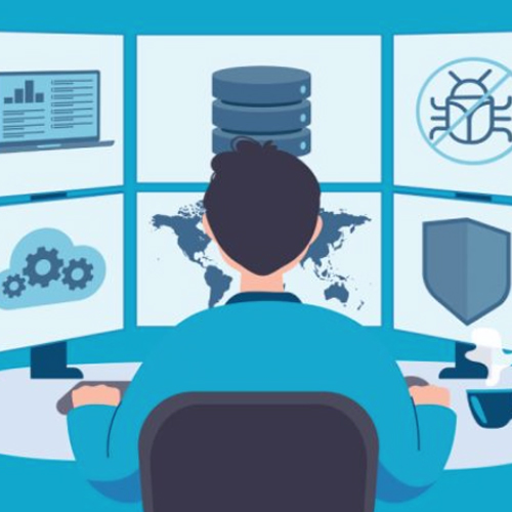
Remote Monitoring and Management (RMM) tools are exactly that—tools. On their own, they don’t accomplish anything. Just like a hammer needs a hand to drive a nail, these systems require active oversight. An automated alert sent to an inbox means nothing until someone reads it and takes action. Scripts and auto-responses don’t run themselves—they still need to be configured and maintained.

At our core, we use RMM tools to automate wherever possible. Some tasks need routine execution, others are one-offs—but even one-time fixes should be checked in on now and then. It’s common to hear, “I already set that,” or “Doesn’t Windows handle that automatically?” In a perfect world, it would. But systems drift, updates get missed, and tasks go unchecked.

Let us handle the setup, management, and ongoing maintenance of these tools. We’ll put automation to work for you—smartly and efficiently—so your systems run smoothly, and your team stays focused.

Effective system management starts with knowing what needs to be done, and making sure that knowledge reaches the right hands at the right time.

Why Microsoft Services?

Microsoft 365 is a cloud-based productivity suite that offers a wide range of tools and applications designed to enhance the user’s ability to work, collaborate, and communicate.

Here are some benefits of using Microsoft 365:

Flexibility: Microsoft 365 is a cloud-based service that can be accessed from anywhere, on any device. This flexibility allows users to work remotely and collaborate with colleagues in real-time.

Enhanced Security: Microsoft 365 provides advanced security features such as two-factor authentication, data encryption, and threat intelligence. These features help protect users’ data and devices from cyber threats.

Cost-Effective: Microsoft 365 is a subscription-based service that offers a range of plans to suit different budgets and needs. This cost-effective pricing model allows businesses to scale up or down as needed without incurring additional costs.

Improved Collaboration: Microsoft 365 provides a range of collaboration tools such as Teams, SharePoint, and OneDrive that enable users to work together on projects in real-time. These tools help improve productivity and streamline workflows.

Access to Latest Features: Microsoft 365 is constantly updated with new features and capabilities. This ensures that users always have access to the latest tools and technologies.

Familiar User Experience: Microsoft 365 includes popular applications such as Word, Excel, PowerPoint, and Outlook that users are already familiar with. This makes it easy for users to get started with the service and reduces the need for training.

Increased Productivity: Microsoft 365 provides a range of productivity tools such as Planner, To-Do, and Forms that help users stay organized and focused on their work.

Scalability: Microsoft 365 is designed to scale with businesses of all sizes. Whether you are a small business or a large enterprise, Microsoft 365 can be customized to meet your specific needs.

In conclusion, Microsoft 365 is an essential tool for businesses looking to improve their productivity, collaboration, and security. With its flexible pricing model, advanced security features, and range of collaboration tools, Microsoft 365 can help businesses of all sizes achieve their goals.

Why BCRD?

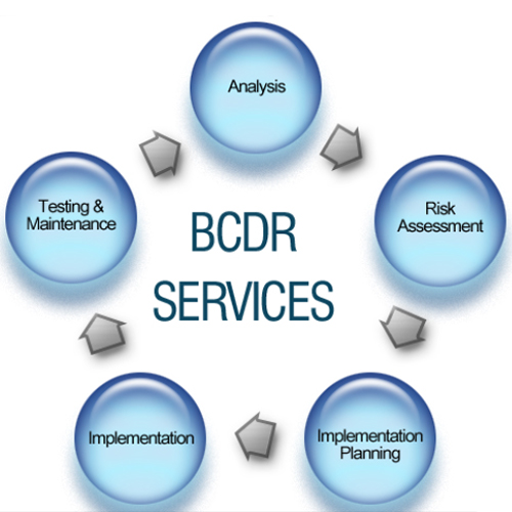
Backup Continuity and Disaster Recovery services are essential for businesses of all sizes. These services provide a comprehensive solution to protect critical data and applications from unexpected events such as natural disasters, cyber-attacks, and human errors.

Here are some benefits of using Backup Continuity and Disaster Recovery services:

Maximizing Business Uptime: Backup Continuity and Disaster Recovery services help minimize downtime by ensuring that critical data and applications are always available. These services provide a range of backup and recovery options that enable businesses to quickly recover from any disruption.

Reduced Risk of Data Loss: Backup Continuity and Disaster Recovery services provide multiple layers of protection against data loss. These services include regular backups, offsite storage, and advanced security features such as encryption and two-factor authentication.

Improved Security: Backup Continuity and Disaster Recovery services provide advanced security features that help protect businesses from cyber threats. These features include real-time threat detection, malware protection, and intrusion prevention.

Cost-Effective: Backup Continuity and Disaster Recovery services are cost-effective solutions that can be customized to meet the specific needs of businesses. These services offer a range of pricing options that allow businesses to scale up or down as needed without incurring additional costs.

Compliance: Backup Continuity and Disaster Recovery services help businesses comply with regulatory requirements such as HIPAA, GDPR, and PCI DSS. These services provide the necessary tools and features to ensure that businesses meet these requirements.

Peace of Mind: Backup Continuity and Disaster Recovery services provide peace of mind by ensuring that critical data and applications are always protected. These services enable businesses to focus on their core operations without worrying about data loss or downtime.

In conclusion, Backup Continuity and Disaster Recovery services are essential for businesses looking to protect their critical data and applications from unexpected events. By maximizing business uptime, reducing the risk of data loss, improving security, being cost-effective, ensuring compliance, and providing peace of mind, these services enable businesses to focus on their core operations while leaving the backup and recovery tasks to the experts.

What are some examples of IoT?

Printers: Printers are often overlooked when we talk about smart devices. They aren’t all just connected to our computers any more. Think about printing from your phone or tablet through cloud services, or having the printer automatically order ink or toner when suppliers are low.

Smart home devices: These are devices that can be controlled remotely and can automate tasks such as turning on lights, adjusting thermostats, and locking doors. Examples include smart speakers, smart thermostats, and smart locks.

Wearable technology: These are devices that can be worn on the body and can track various health metrics such as heart rate, steps taken, and sleep patterns. Right now, the most common wearables are fitness trackers, watches and earbuds. However, smart glasses and virtual reality headsets are gaining popularity. Smart wearables even have the potential to increase public health: Studies have shown that individuals who wear fitness trackers or smart watches are more likely to exercise regularly.

Smart or Intelligent appliances: These are appliances that can connect to the internet and can be controlled remotely. Examples include smart home devices like smart thermostats, intelligent refrigerators and connected televisions that rely on IoT devices to gather environmental information and make the appropriate adjustments.

Sensors: Sensors are one of the oldest most common types of IoT devices, used by individuals and businesses. These are sensors that can be used to monitor processes such as temperature, pressure, and humidity. Some of the most common types include optical sensors for automatic street lights, temperature sensors for thermostats and the internal sensors embedded in industrial machinery. They can help improve efficiency and reduce waste.

IoT medical devices: IoT Medical devices have revolutionized the healthcare industry by enabling better diagnosis, treatment, and more holistic remote medical care. Internet-connected heart monitors, smart blood sugar sensors and even internal sensors that monitor the contents of a patient’s stomach have made it possible for doctors to care for more patients and obtain more accurate medical data. IoT medical devices also make it possible to monitor patients outside a traditional clinical setting, which prevents unnecessary visits to the doctor’s office.

Smart cars: These are cars that can connect to the internet and can communicate with other cars or infrastructure such as traffic lights. They can help improve safety and reduce traffic congestion.

Point of Sale devices: Restaurants, retailers and other merchants use IoT devices for their Point of Sale (PoS) terminals. PoS devices make it possible for merchants to customize and digitize their payment terminals, which in turn allows them to create better customer experiences and obtain real-time data about their sales. Gaining in popularity are applications on smartphones and tablets that allow customers to place orders and pay for their meal while still seated at the table, or in the drive through.

What is IoT?

IoT – The “Internet of Things”

IoT device or the “IoT Stack” describes a system of devices that are connected to each other and can transmit and receive data from one another. This flexibility is one reason why IoT technology is so useful for businesses and individuals. IoT is only going to get more complex as more ways are developed to make our day to day lives simpler. Click Here for some real life examples of IoT devices in layman’s terms.

Concerns about IoT devices

There are two major concerns regarding IoT devices: IoT device security and network security. An unsecured IoT device can lead to severe data breaches. Securing IoT devices and managing the security for IoT connections is critical.

Often, consumers don’t realize that their IoT devices need to be secured, so they never set a password or configure the device’s IoT security. This creates a rather severe security flaw. That flaw is amplified because a single connected IoT device has connections to many other devices, which means that a single unsecured IoT device could compromise the security of the entire IoT network.

The other major concern with IoT devices is network security; it’s nearly impossible to keep all the IoT devices on a network secure all the time. Instead, it’s best practice to build IoT networks that include IoT device monitoring and safeguards to limit what can be accessed from a breached device.

Why Outsourced IT?

Outsourcing IT services and support can provide many benefits to businesses of all sizes.

Here are some of the key benefits:

Cost Savings: Outsourcing IT services and support can help businesses save money in several ways. For example, it can reduce the need for an in-house IT team, which can be expensive to maintain. Outsourcing can also help businesses avoid the costs associated with hiring and training new employees.

Access to Expertise: Outsourcing IT service and support provides businesses with access to a team of experts who have experience working with a wide range of technologies. This expertise can help businesses stay up-to-date with the latest trends and technologies, which can be difficult to do with an in-house team.

Improved Focus: Outsourcing IT service and support allows businesses to focus on their core competencies, rather than spending time and resources on IT issues. This can help businesses improve their productivity and profitability.

Scalability: Outsourcing IT services and support allows businesses to scale up or down as needed, without having to worry about hiring or firing employees. This can be especially beneficial for businesses that experience seasonal fluctuations in demand.

Reduced Risk: Outsourcing IT services and support can help businesses reduce their risk of data loss or downtime due to technical issues. This is because outsourced providers typically have more robust backup and disaster recovery systems in place than most businesses.

Improved Security: Outsourced IT service and support providers typically have more advanced security systems in place than most businesses. This can help businesses protect their data from cyber threats such as hacking, malware, and phishing attacks.

Increased Efficiency: Outsourcing IT services and support can help businesses improve their efficiency by automating routine tasks such as software updates, patch management, and antivirus scans. This automation reduces the workload on employees, allowing them to focus on more complex tasks that require human intervention.

In conclusion, outsourcing IT services and support can provide many benefits to businesses of all sizes. By reducing costs, providing access to expertise, improving focus, enabling scalability, reducing risk, improving security, and increasing efficiency, outsourced providers can help businesses stay competitive in today’s fast-paced business environment.

Poor Password Habits

I can’t stress this enough. Please use strong unique passwords. They are a must. Not optional.

Poor password habits are responsible for 81% of breaches, according to Verizon’s Data Breach Report.

Strong Passwords

  • A strong password is a long password. The more characters the better.
  • Strong passwords use a combination of uppercase and lowercase letters, numbers and symbols.
  • Strong passwords do not use real words, names of a people, characters, products, or organizations.
  • These passwords are significantly different from your previous ones.
  • I repeat, Do Not Reuse Passwords! A compromised password will need to be changed in each location it was used.

Change your password immediately if you suspect it may have been compromised.

Enable multi factor authentication (MFA) whenever possible. I recommend setting up an app on your phone to generate one-time codes.

Important – Secure your passwords.

  • Shared passwords are not secure.
  • Never send passwords by email, instant message, or other means of communication that isn’t secure.

It’s ok to write your passwords down in your little black book, as long as you keep that book secure. Don’t write your password on a sticky note or tape and stick them to your monitor.

Make your life easier and use a Password Manager and a Password Generator.

Cyber Security: Some Basics

With the rise of cyber crime around the globe, it’s never been more important to ensure you educate yourself on how to stay cyber safe. This article will help you learn how to protect yourself, your family and your digital assets.

Password Protection

A common way scammers get access to your information or break into your online accounts is by guessing your password. Many of us like to use simple, easy to remember passwords such as the word “password” or the digits “1234”.

What you can do:

  • Never share your passwords with anyone.
  • Don’t use your Online Banking password for anything else. While it’s best not to re-use any passwords at any time, it’s especially important to use extra caution when it comes to sensitive information such as your bank account.
  • The longer, the better. Experts suggest creating passwords that are at least 12 characters long, ideally 16.
  • Reset your passwords regularly.
  • Use multi-factor authentication. While passwords are more secure than no protection, your data is far safer if you combine a password with multi-factor authentication (MFA).

Banking Safely Online

Being vigilant about your online security is essential to guarding against cyber criminals. And, while most banks are committed to keeping your financial information safe and secure, there are simple steps you can take to proactively protect yourself.

What you can do:

  • Set Auto-deposit for e-transfers. This service eliminates the need for a security question and answer in every transaction lessening the risk that someone unintended could intercept the funds.
  • Enable 2-Step Verification on your RBC banking app.
  • Review your bank account statements regularly; if you see unknown purchases, that could be a sign that your identity has been stolen.
  • Immediately report lost or stolen credit or debit cards.
  • Never provide confidential information or sign-in IDs or passwords when responding to an unsolicited email, text message or a phone call.
  • Avoid acting out of a sense of urgency or emotion.
  • Turn on Account Alerts to monitor unusual transaction activity.

Email Scams

Email scams are very common online scams where an email is sent, attempting to trick the recipient into giving up personal, business or financial information. Typically, a phishing email will explain an urgent situation (“Your Bank Account has been suspended”) with a time limit to act (“You have 24 hours to verify your account”) and a link to click where you’ll be asked to enter your confidential information (“to fix the “problem”). The fraudster then gets access to your passwords, account numbers, client base, or even your computer systems. Remember, legitimate organizations will never ask for information to be sent in this manner.

What you can do:

  • Never write personal information in an email. This includes account numbers, birthdays, social insurance numbers and other sensitive data.
  • Don’t open attachments or click on links if you don’t know the source. If you receive an email with a suspicious attachment, simply ignore the email and delete it.
  • Keep your email address safe. Your email address is personal — avoid posting it on public forums or entering it on sites you don’t trust. And just because someone at a store asks for it doesn’t mean you have to give it out.

Phone and Text Message Scams

Have you ever received a call or text message from a number you don’t recognize asking you to do something, like provide your private or financial information? It could be a smishing scam.

What you can do:

  • Don’t pick up if you don’t recognize the phone number.
  • Never give away personal information to someone you don’t know.
  • Beware of grandchild impersonation. This is one of the most prevalent scams around today and tricked older Canadians out of nearly $10 million last year. If anyone calls claiming to be your grandchild — especially if they’re asking you for money, a credit card, or a gift card to help with an emergency — don’t fall for it. Hang up and call your family directly.
  • Don’t click on links sent by numbers you don’t recognize.
  • Avoid acting out of a sense of urgency or emotion.
  • If the number isn’t legitimate, delete the text message from your phone.

Phone Settings

Smartphones are smart, but they’re not always secure. When it comes to keeping your smartphone secure, there are two things to consider: protecting the device from loss or theft and protecting the data you’ve stored on it.

What you can do:

  • Turn off Bluetooth when you’re not using it.
  • Don’t install – or make sure you uninstall – nosey apps or any apps you’re no longer using.
  • Turn on the “Find my Mobile” tool so you can locate missing devices and protect data.
  • Enable multi-factor authentication for the sites you visit.

Fake websites

Scammers set up fake retailer websites that look like real online retail stores in these cases. The thing is, you won’t receive the goods you paid for.

What you can do:

  • Buy from companies or individuals you know by reputation or from past experience.
  • Make sure you’re still on a reputable website when you go to check out and haven’t been redirected to a new page.
  • Be more cautious with sellers located far away or that don’t have many reviews.
  • Regularly check your credit card statements for frequent or unknown charges.
  • About Us
  • Partners
  • AnyDesk Custom Client for Atera
  • Quick Assist App – Microsoft Store 2
  • Microsoft Office 365
  • Atera
  • N-Central

2584479 ONTARIO INC. o/a Norrena Services – © 2025
(Your IP: 18.97.14.82)